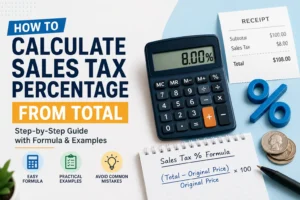

Have you ever looked at a receipt and wondered, “What was the original price before sales tax?”
You’re not alone.
Whether you’re checking a receipt, filing business expenses, calculating refunds, or reviewing invoices, removing sales tax from a final price is a common task.
The good news? The math is much easier than most people think.
In this guide, you’ll learn exactly how to remove sales tax from a price, see practical examples, avoid common mistakes, and use our free calculator to get instant answers.
Quick Answer
To remove sales tax from a total price, use this formula:
Original Price = Total Price ÷ (1 + Sales Tax Rate)
Example:
- Total Price: $108
- Sales Tax Rate: 8%
Calculation:
108 ÷ 1.08 = $100
The original price before tax was $100.
Why Would You Need to Remove Sales Tax?
Most receipts only show the total amount paid.
Sometimes you need to know the item’s original price before tax.
Common situations include:
- Business bookkeeping
- Expense reimbursements
- Accounting
- Tax reporting
- Budget planning
- Checking receipt accuracy
- Refund calculations
- Inventory valuation
If you’ve ever thought, “I know the total, but what’s the actual product price?”, this calculation solves that problem.
How to Remove Sales Tax from Price
Removing sales tax is simply working backwards.
Step 1
Convert the tax percentage into a decimal.
Examples:
| Tax Rate | Decimal |
|---|---|
| 5% | 0.05 |
| 6% | 0.06 |
| 7% | 0.07 |
| 8% | 0.08 |
| 10% | 0.10 |
Step 2
Add 1.
Example:
8% → 0.08

1 + 0.08 = 1.08
Step 3
Divide the total price by that number.
Original Price = Total ÷ 1.08
Step 4
Subtract the original price from the total.
Sales Tax = Total Price − Original Price
Example Calculation
Let’s say your receipt shows:
- Total Paid = $269.75
- Sales Tax Rate = 7.5%
Convert the rate:
7.5% = 0.075
Add one:
1.075
Calculate:
269.75 ÷ 1.075 = 250.93
Original price:
$250.93Sales tax paid:
269.75 − 250.93 = 18.82
Free Sales Tax Removal Calculator
Common Mistakes to Avoid
Dividing by the Tax Rate
Never divide the total by 8 if the tax rate is 8%.
You must divide by 1.08.
Forgetting to Convert Percentages
Always convert percentages into decimals first.
8% equals 0.08.
Using the Wrong Tax Rate
Sales tax varies by state and sometimes by city or county.
Always use the correct rate for the purchase location.
Rounding Too Soon
Keep all decimal places until the final answer.
When Businesses Remove Sales Tax
- Preparing invoices
- Expense reports
- Accounting entries
- Inventory management
- Refund processing
- Purchase verification
- Financial audits
Reverse sales tax calculations are a routine part of bookkeeping and financial reporting.
Remove Sales Tax vs Calculate Sales Tax
| Remove Sales Tax | Calculate Sales Tax |
|---|---|
| Starts with total price | Starts with original price |
| Finds original price | Finds final price |
| Works backwards | Works forwards |
| Useful for receipts | Useful before purchasing |
Frequently Asked Questions
Can I remove sales tax without a calculator?
Yes. Use the formula:
Original Price = Total Price ÷ (1 + Tax Rate)
Is removing sales tax the same as getting a refund?
No.
Removing sales tax is simply a mathematical calculation. A tax refund is a separate legal or financial process.
Can I use this method for every U.S. state?
Yes.
You only need the correct combined sales tax rate for the purchase location.
Does this work for online purchases?
Absolutely.
If your invoice shows the total amount and applicable sales tax rate, you can calculate the original price using the same formula.
Final Thoughts
Knowing how to remove sales tax from a price helps you understand exactly what you paid before taxes were added. It’s useful for personal budgeting, business accounting, expense tracking, and verifying receipts.
Instead of guessing, use the simple formula or the calculator above to get accurate results in seconds. Once you understand the process, removing sales tax becomes as straightforward as calculating a discount—only with fewer surprises at checkout.
- Reverse Sales Tax vs Reverse Charge VAT: What’s the Difference?

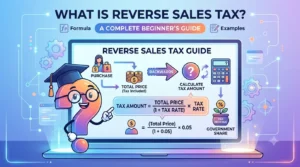
- What Is Reverse Sales Tax? A Complete Beginner’s Guide (With Formula & Examples)
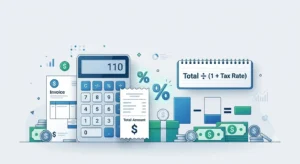
- How to Calculate Tax From Total Amount

- Florida Sales Tax (2026): Rates, Exemptions & Reverse Tax Calculator
- How to Calculate Sales Tax Percentage From Total (Easy Formula)