

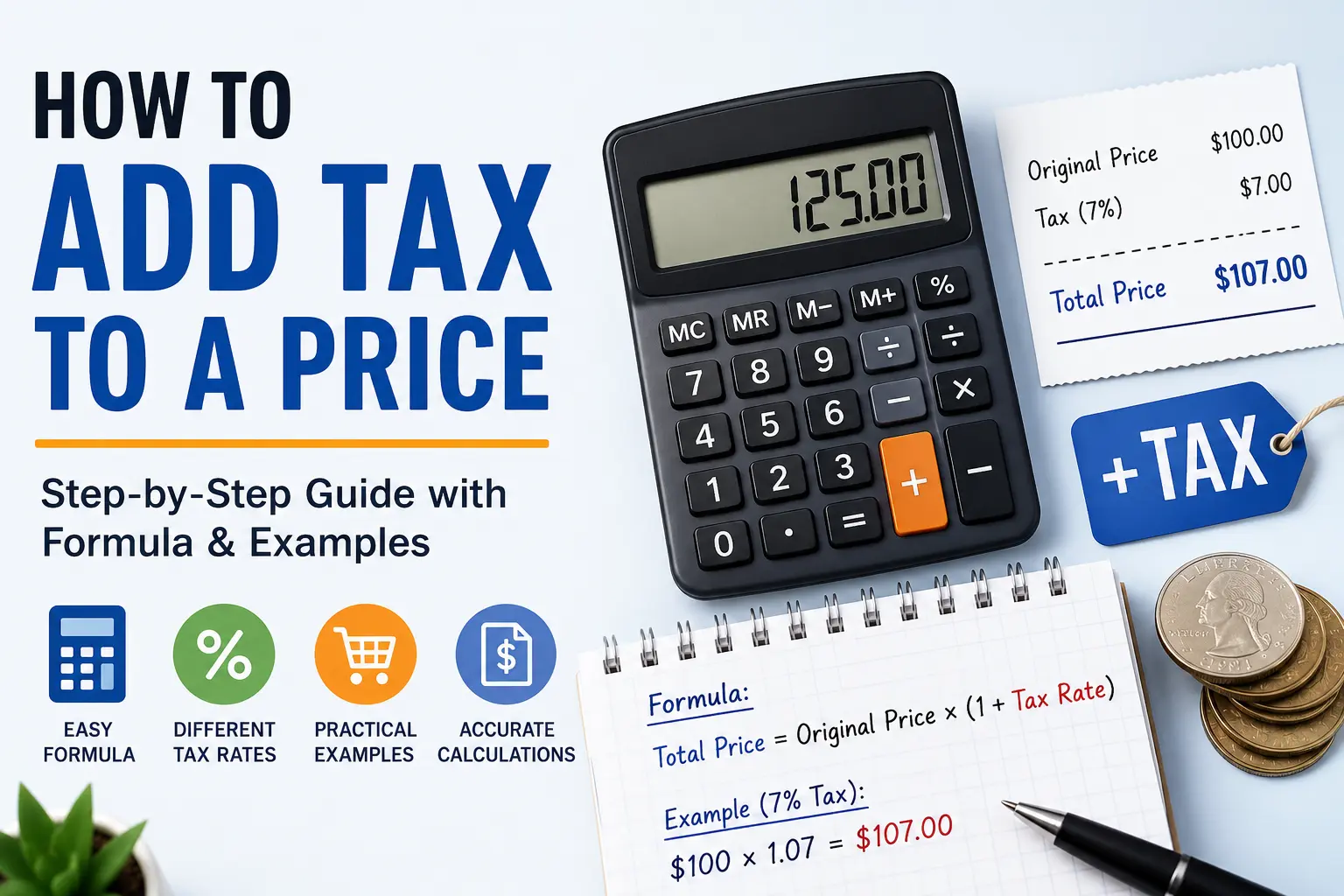
If you’ve ever shopped online, created an invoice, or managed a small business, you’ve probably asked yourself, “How do I add tax to a price?”
The good news is that it’s much easier than it sounds.
Whether you’re calculating sales tax for a customer, estimating the total cost of a purchase, or simply checking if a receipt is correct, the process follows the same straightforward formula.
Think of it this way: adding tax to a price is like adding cheese to a pizza. You start with the base, then add a little extra. The only difference is that sales tax isn’t nearly as delicious.
In this guide, you’ll learn:
- The simple formula for adding tax to a price
- How to calculate tax step by step
- Examples using different tax rates
- How to calculate 7% sales tax
- Common mistakes to avoid
- Why understanding tax calculations matters
Let’s get started.
How Do I Add Tax to a Price?
Adding tax to a price means increasing the original price by the applicable tax percentage.
The standard formula is:
Total Price = Original Price × (1 + Tax Rate)
Before using the formula, convert the tax percentage into a decimal.
Examples:
- 5% = 0.05
- 6% = 0.06
- 7% = 0.07
- 8.25% = 0.0825
Example
Original Price = $100
Sales Tax = 8%
Convert the percentage:
8% = 0.08
Apply the formula:
$100 × 1.08 = $108
The final price, including tax, is $108.
Understanding the Elements of the Formula
Before you calculate anything, it’s important to understand what each part of the formula represents.
Original Price
This is the item’s price before any tax is added.
Example:
Laptop Price = $900
The original price is $900.
Tax Rate
The tax rate is the percentage charged by the applicable state or local tax authority.
Sales tax rates vary by location. Some jurisdictions also combine state, county, city, and special district taxes.
Always use the rate that applies where the sale takes place.
Decimal Conversion
Percentages must be converted into decimals.
| Percentage | Decimal |
|---|---|
| 4% | 0.04 |
| 5% | 0.05 |
| 6.5% | 0.065 |
| 7% | 0.07 |
| 8% | 0.08 |
| 8.25% | 0.0825 |
| 10% | 0.10 |
This small step makes the formula work correctly.
Total Price
The total price is what the customer actually pays.
It includes:
- Original price
- Sales tax
Formula:
Total = Original Price + Tax Amount
or
Total = Original Price × (1 + Tax Rate)
Both methods produce the same answer.
Applying the Formula
Let’s solve a few practical examples.
Example 1
Original Price:
$50
Tax Rate:
6%
Step 1
Convert to decimal:
6% = 0.06
Step 2
Multiply:
50 × 1.06
= $53
Tax Amount:
$3
Total:
$53
Example 2
Original Price:
$240
Tax Rate:
7.5%
Decimal:
0.075
Calculation:
240 × 1.075
= $258
Tax:
$18
Final Price:
$258
Example 3
Original Price:
$1,250
Tax Rate:
8.25%
Decimal:
0.0825
Calculation:
1,250 × 1.0825
= $1,353.13
(Rounded to the nearest cent.)
Using the Formula for Different Tax Rates
The formula never changes.
Only the tax rate changes.
Here are several examples.
| Original Price | Tax Rate | Total Price |
|---|---|---|
| $25 | 5% | $26.25 |
| $40 | 6% | $42.40 |
| $75 | 7% | $80.25 |
| $100 | 8% | $108.00 |
| $150 | 9% | $163.50 |
| $500 | 10% | $550.00 |
Once you understand the formula, you can calculate any tax rate in seconds.
Why This Is Important
Knowing how to add tax isn’t just for accountants.
It’s a practical skill that helps in everyday life.
You can use it when:
- Shopping online
- Comparing prices between stores
- Creating invoices
- Running a small business
- Preparing expense reports
- Checking receipts
- Managing budgets
- Estimating project costs
Business owners rely on accurate tax calculations to charge customers correctly and maintain reliable financial records.
Consumers use the same knowledge to avoid surprises at checkout.
How Do You Calculate 7% Tax?
Seven percent is one of the most common examples used when learning sales tax calculations.
The process follows the same formula.
Formula
Total = Original Price × 1.07
Example 1
Original Price:
$80
Calculation:
80 × 1.07
= $85.60
Tax:
$5.60
Example 2
Original Price:
$250
Calculation:
250 × 1.07
= $267.50
Tax:
$17.50
Quick 7% Tax Table
| Price | Tax | Total |
|---|---|---|
| $20 | $1.40 | $21.40 |
| $50 | $3.50 | $53.50 |
| $75 | $5.25 | $80.25 |
| $100 | $7.00 | $107.00 |
| $300 | $21.00 | $321.00 |
This table helps you estimate totals quickly without reaching for a calculator.
How to Calculate Tax?
Sometimes you only need the tax amount instead of the final price.
Use this formula:
Tax Amount = Original Price × Tax Rate
Example:
Original Price:
$180
Tax Rate:
8%
Calculation:
180 × 0.08
= $14.40
Then calculate the total:
180 + 14.40
= $194.40
You can also calculate tax in three simple steps:
Step 1
Find the original price.
Step 2
Convert the percentage into a decimal.
Step 3
Multiply the original price by the decimal tax rate.
Finally, add the tax amount to the original price.
Common Mistakes When Adding Tax
Even a simple formula can produce the wrong answer if you make one of these mistakes.
Forgetting to Convert Percentages
Using 7 instead of 0.07 creates an answer that’s much too high.
Always convert percentages into decimals first.
Multiplying by the Wrong Number
Some people multiply by 0.07 and stop there.
That only calculates the tax amount.
To find the total price, multiply by 1.07.
Using the Wrong Tax Rate
Sales tax rates differ by state, county, city, and special tax districts.
Always verify the applicable rate before calculating.
Ignoring Rounding
Most businesses round tax to the nearest cent.
Small differences of one cent are normal due to rounding rules.
Tips for Faster Tax Calculations
If you calculate taxes frequently, these tips can save time:
- Memorize common decimal conversions like 5%, 7%, and 8%.
- Use a calculator for larger amounts to reduce errors.
- Double-check invoices before sending them to customers.
- Verify local tax rates if you sell products in different jurisdictions.
- Use an online sales tax calculator when processing multiple transactions.
Final Thoughts
Learning how to add tax to a price is a simple but valuable skill. Whether you’re shopping, preparing invoices, running a business, or checking receipts, understanding the formula helps you calculate totals with confidence.
The process is straightforward:
- Convert the tax percentage into a decimal.
- Multiply the original price by 1 + the tax rate.
- Round the final amount to the nearest cent if needed.
Once you understand this method, you’ll be able to calculate tax for almost any purchase in just a few seconds. And if you’re working with many transactions, an online sales tax calculator can make the process even faster and reduce the chance of manual errors.
Frequently Asked Questions
What is the formula to add tax to a price?
Multiply the original price by (1 + tax rate as a decimal).
Example:
$100 × 1.08 = $108.
How do I calculate only the tax amount?
Multiply the original price by the tax rate in decimal form.
Example:
$50 × 0.07 = $3.50.
Can I calculate tax without knowing the tax rate?
No. You need the applicable tax rate to calculate either the tax amount or the total price.
Why do different stores charge different sales tax?
Sales tax depends on the location where the sale occurs. State, county, city, and special district taxes can all affect the final rate.
Should I round sales tax?
Yes. Businesses generally round tax to the nearest cent when calculating the final total.
Trusted Sources
- Internal Revenue Service (IRS) – Information on sales tax deductions and tax-related guidance.
- Tax Foundation – Research on U.S. state and local sales tax rates.
- Sales Tax Institute – Educational resources on sales tax calculations and compliance.
- Federation of Tax Administrators (FTA) – Official state sales tax information and tax administration resources.
