

Have you ever looked at a receipt and wondered:
“The total already includes tax. So how much tax did I actually pay?”
You’re not alone.
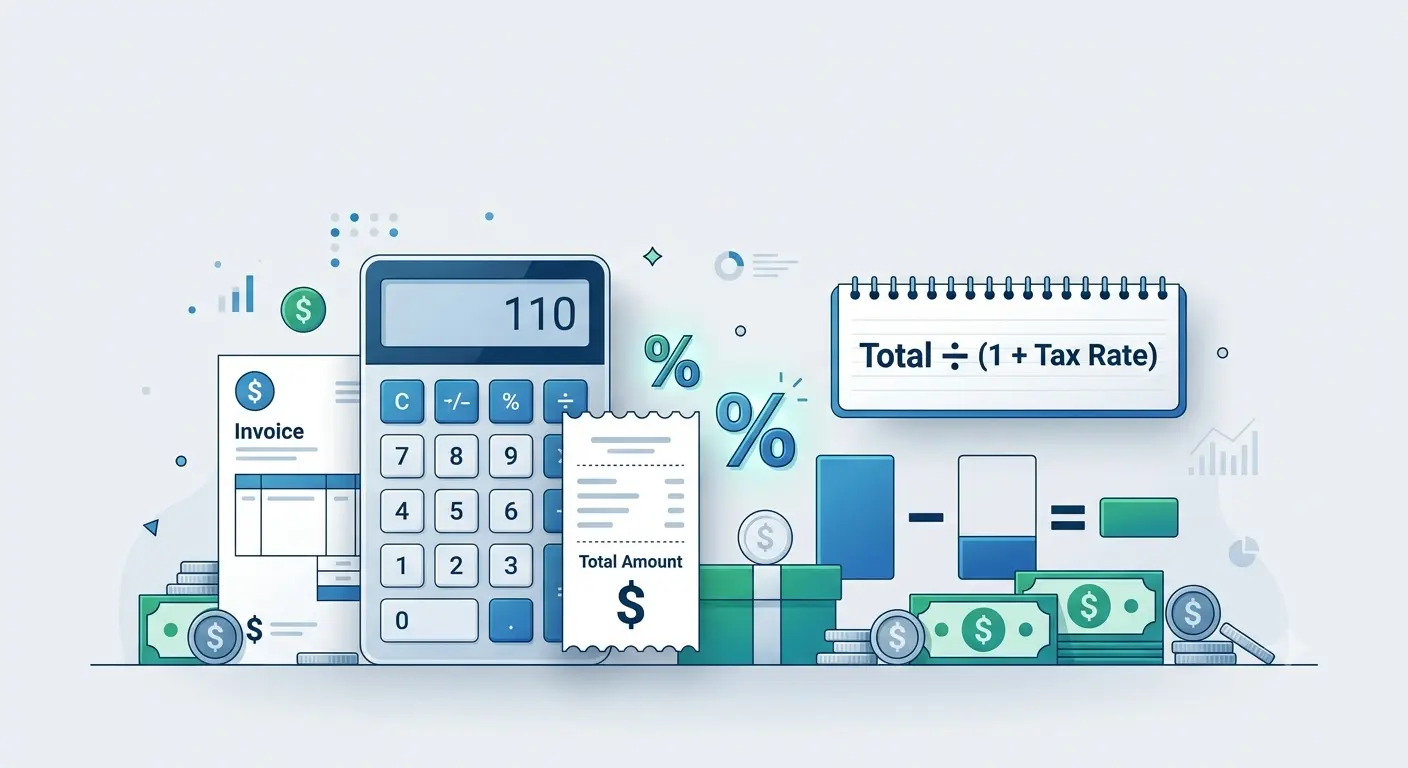
To calculate tax from a total amount, divide the total by (1 + tax rate in decimal form). This gives you the original price before tax. Then subtract the original price from the total amount to find the tax included.
Many invoices, online purchases, restaurant bills, and retail receipts show only the final amount, making it difficult to know the original price before tax.
The good news is that you don’t need to guess.
In this guide, you’ll learn exactly how to calculate tax from the total amount using a simple reverse tax formula. We’ll also cover practical examples, common mistakes, and an easier method if you don’t want to do the math manually.
Key Takeaways
- Reverse tax calculation finds the tax included in a total price.
- Divide the total amount by (1 + tax rate) to find the original price.
- Subtract the original price from the total to calculate the tax.
- The same formula works for Sales Tax, VAT, and GST.
- Using a reverse tax calculator helps avoid manual calculation errors.
What Does “Calculate Tax From Total Amount” Mean?
Normally, tax is added to a product’s price.
For example:
- Product Price = $100
- Sales Tax = 10%
- Total Paid = $110
That’s called forward tax calculation.
But sometimes you only know the final amount, such as:
- Total Paid = $110
- Tax Rate = 10%
Now you want to know:
- How much was the original price?
- How much tax was included?
This process is called reverse tax calculation because you’re working backward from the total.
Reverse Tax Formula
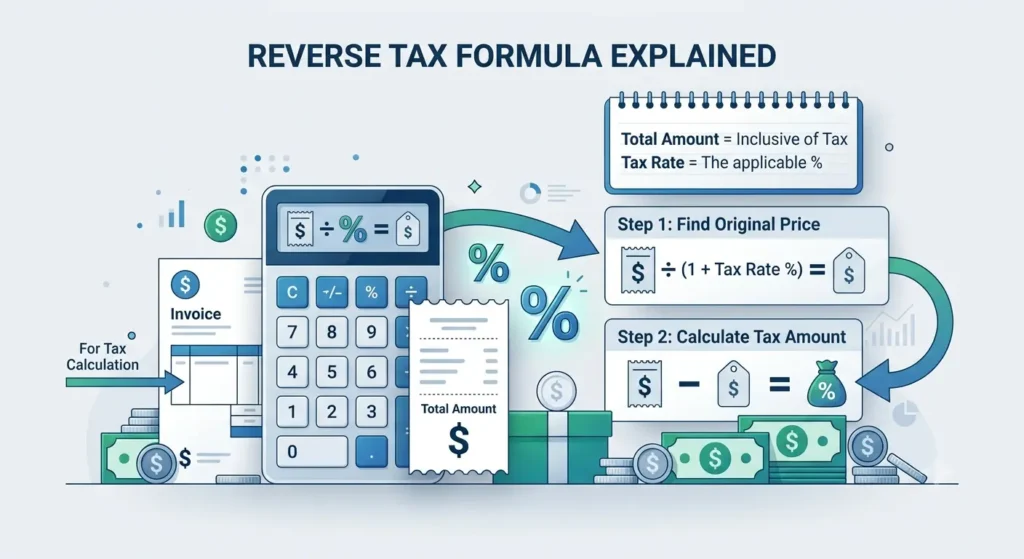
To calculate tax from a total amount, first remove the tax from the final price.
Reverse Tax Formula
Original Price = Total Amount ÷ (1 + Tax Rate)
Tax Amount = Total Amount − Original Price
Step 1: Calculate the Original Price
Formula
Original Price = Total Amount ÷ (1 + Tax Rate)Convert the tax rate into decimal form.
| Tax Rate | Decimal Form | Divide By |
|---|---|---|
| 5% | 0.05 | 1.05 |
| 8% | 0.08 | 1.08 |
| 10% | 0.10 | 1.10 |
| 15% | 0.15 | 1.15 |
| 20% | 0.20 | 1.20 |
Examples:
- 5% = 0.05
- 8% = 0.08
- 10% = 0.10
- 15% = 0.15
- 20% = 0.20
Step 2: Calculate the Tax Amount
Once you know the original price:
Tax = Total Amount − Original PriceThat’s it.
Calculate Tax in Three Easy Steps
- Enter the total amount (including tax).
- Divide the total by (1 + tax rate).
- Subtract the original price from the total to get the tax amount.
Example 1: 10% Tax
Suppose your receipt shows:
- Total Amount = $110
- Tax Rate = 10%
Step 1
Original Price
110 ÷ 1.10 = 100Step 2
Tax
110 − 100 = 10Answer
| Item | Amount |
|---|---|
| Original Price | $100 |
| Tax | $10 |
| Total | $110 |
Example 2: 8% Sales Tax
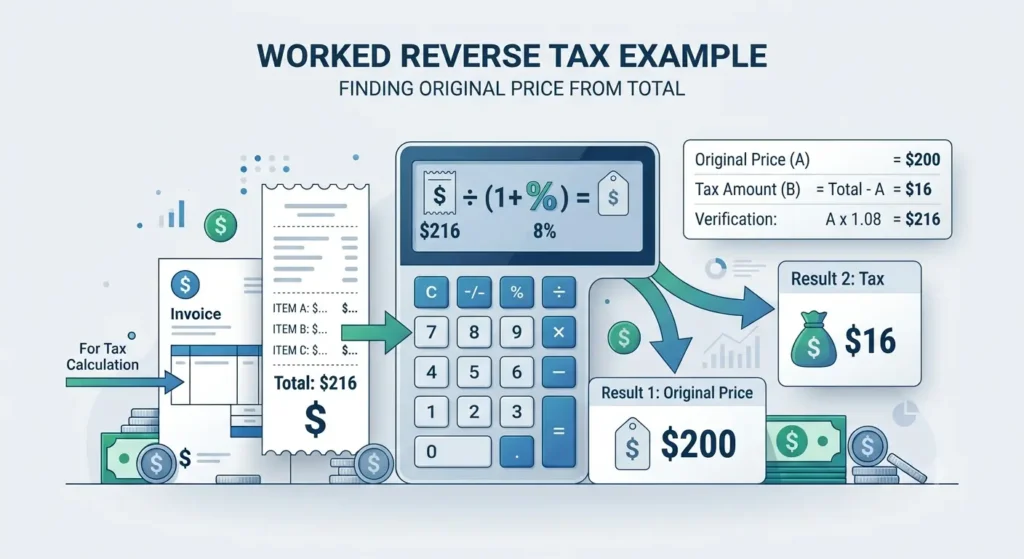
Total amount:
$216
Tax rate:
8%
Original price:
216 ÷ 1.08 = 200Tax:
216 − 200 = 16Final breakdown:
| Item | Amount |
|---|---|
| Original Price | $200 |
| Tax | $16 |
| Total | $216 |
Example 3: VAT Included
Suppose a product costs:
£240 including 20% VAT
Original price:
240 ÷ 1.20 = 200VAT:
240 − 200 = 40Result:
- Price before VAT = £200
- VAT = £40
- Total = £240
Quick Reference Table
| Tax Rate | Formula |
|---|---|
| 5% | Total ÷ 1.05 |
| 6% | Total ÷ 1.06 |
| 7% | Total ÷ 1.07 |
| 8% | Total ÷ 1.08 |
| 10% | Total ÷ 1.10 |
| 12% | Total ÷ 1.12 |
| 15% | Total ÷ 1.15 |
| 18% | Total ÷ 1.18 |
| 20% | Total ÷ 1.20 |
| 25% | Total ÷ 1.25 |
This table saves time when you need to perform reverse tax calculations frequently.
Why People Need Reverse Tax Calculations
Knowing how to calculate tax from the total amount is useful in many everyday situations.
Shopping Receipts
Many stores display only the final payment.
Reverse tax lets you see exactly how much tax you paid.
Business Accounting
Businesses often need to separate tax from total revenue for bookkeeping and tax reporting.
Freelancers
If a client pays a tax-inclusive amount, you may need to determine:
- Service fee
- Tax collected
before preparing invoices.
VAT Calculations
Many countries display prices that already include VAT.
Businesses remove VAT before recording sales.
Expense Tracking
When reviewing business expenses, separating tax from the original purchase price helps create accurate financial records.
Common Mistakes People Make
Reverse tax calculations are simple once you know the correct formula, but a few mistakes happen often.
Subtracting the Tax Percentage Directly
Incorrect:
$110 − 10%Tax percentages don’t work this way.
Always divide first.
Forgetting to Convert Percentages
10% is 0.10, not 10.
The formula requires decimal values.
Using Multiplication Instead of Division
When removing tax, divide.
When adding tax, multiply.
Many people accidentally use the wrong operation.
Rounding Too Early
Keep several decimal places during calculations.
Round only your final answer to avoid small errors.
Manual Calculation vs Reverse Tax Calculator
You can calculate reverse tax by hand using the formulas above.
However, an online reverse tax calculator makes the process much faster.
Simply enter:
- Total amount
- Tax rate
The calculator instantly shows:
- Original price
- Tax amount
- Final breakdown
This reduces calculation errors, especially when working with invoices, accounting records, or multiple tax rates.
Tips for Accurate Tax Calculations
- Always confirm the correct tax rate for your location.
- Check whether the total already includes tax.
- Round monetary values according to your country’s currency rules.
- Keep invoices for future reference.
- Double-check business calculations before filing taxes.
Even a small calculation mistake can affect accounting records when repeated across many transactions.
Final Thoughts
Learning how to calculate tax from a total amount is a valuable skill for shoppers, freelancers, business owners, and anyone reviewing receipts or invoices.
The process is straightforward:
- Divide the total by 1 + the tax rate.
- The result is the original price.
- Subtract the original price from the total to find the tax.
Think of it like unwrapping a gift. The total amount is the wrapped package, and the tax is one layer of wrapping. Reverse tax calculation simply peels that layer away to reveal the original price underneath.
Whether you’re checking a restaurant receipt, reconciling business accounts, or verifying an online purchase, using the correct reverse tax formula ensures your calculations stay accurate and reliable.
| If Tax Rate Is | Divide Total By |
|---|---|
| 5% | 1.05 |
| 6% | 1.06 |
| 7% | 1.07 |
| 8% | 1.08 |
| 10% | 1.10 |
| 12% | 1.12 |
| 15% | 1.15 |
| 18% | 1.18 |
| 20% | 1.20 |
| 25% | 1.25 |
Frequently Asked Questions
How do I calculate tax from a total amount?
Divide the total amount by 1 plus the tax rate in decimal form. Then subtract the original price from the total to find the tax.
What is the reverse tax formula?
The reverse tax formula is:
Original Price = Total Amount ÷ (1 + Tax Rate)
Then:
Tax = Total Amount − Original Price
Can I calculate VAT from the total price?
Yes.
The same reverse calculation works for VAT.
Simply divide the total by 1 + VAT rate, then subtract the original amount to find the VAT included.
Is this method accurate?
Yes. It is the standard mathematical approach used by accountants, retailers, invoicing software, and financial calculators to determine the tax portion of a tax-inclusive amount.
Does this work for sales tax?
Yes. The formula works for sales tax, VAT, GST, and other percentage-based taxes, provided you know the correct tax rate.
Sources
The formulas and concepts in this article align with standard tax and accounting practices described by:
- The Internal Revenue Service (IRS) for general tax reporting principles.
- The HM Revenue & Customs (HMRC) for VAT-inclusive pricing guidance.
- The International Federation of Accountants (IFAC), which promotes internationally recognized accounting practices.
These organizations provide authoritative guidance on taxation and financial reporting. Always use the tax rate applicable to your country, state, or local jurisdiction when performing calculations.
